
1. Introduction
This document summarizes knowledge and experience on database query optimization, focusing on using EXPLAIN, EXPLAIN ANALYZE, table access methods, and index optimization. It’s suitable for developers and DBAs who want a deep understanding of how databases execute queries and techniques to improve performance.
2.1 Execution Plan with EXPLAIN
The execution plan reveals how the database will execute a query. To get the execution plan, prefix your query with EXPLAIN, for example:
EXPLAIN SELECT * FROM film;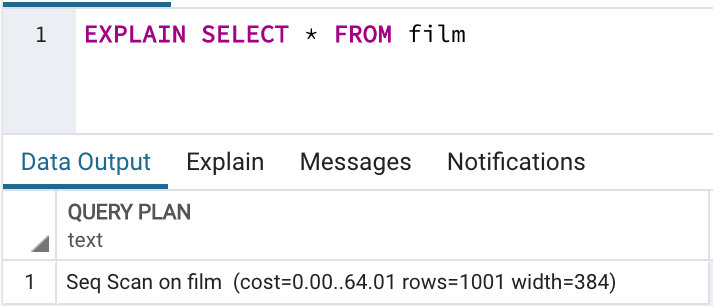
An execution plan consists of nodes (steps), such as:
- Seq Scan: sequentially scans the table
- cost: execution cost of the step (startup cost → total cost)
- rows: estimated number of output rows
- width: average width in bytes per row
More complex queries with ORDER BY, LIMIT, GROUP BY, aggregates, DISTINCT, JOIN, etc., require multiple steps:
EXPLAIN SELECT length, rating
FROM film
WHERE rental_duration = 7
ORDER BY length
LIMIT 10;
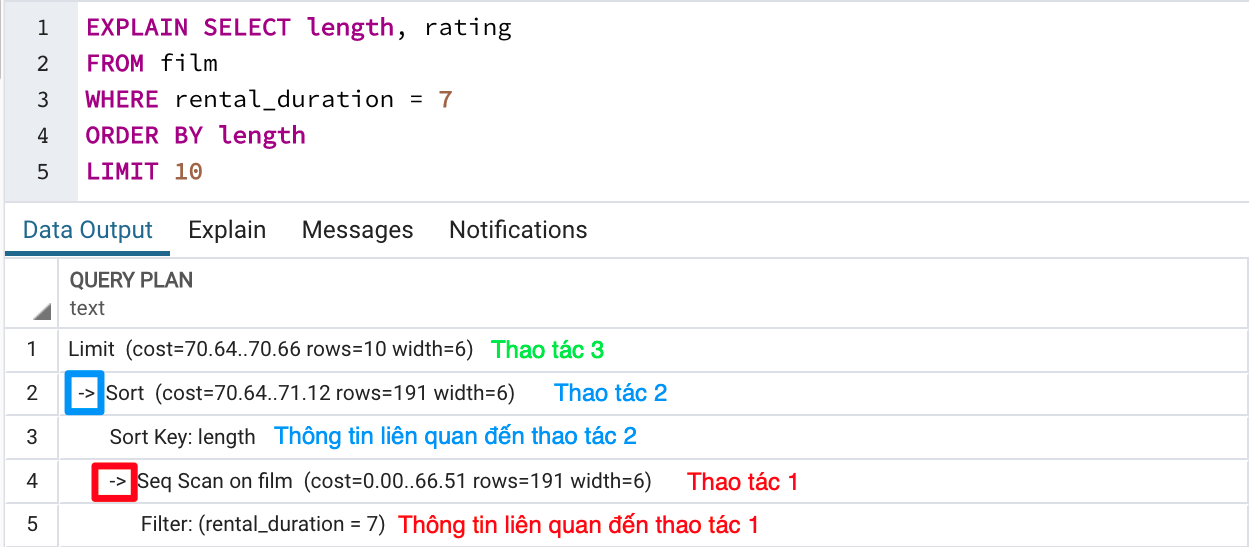
Example execution plan:
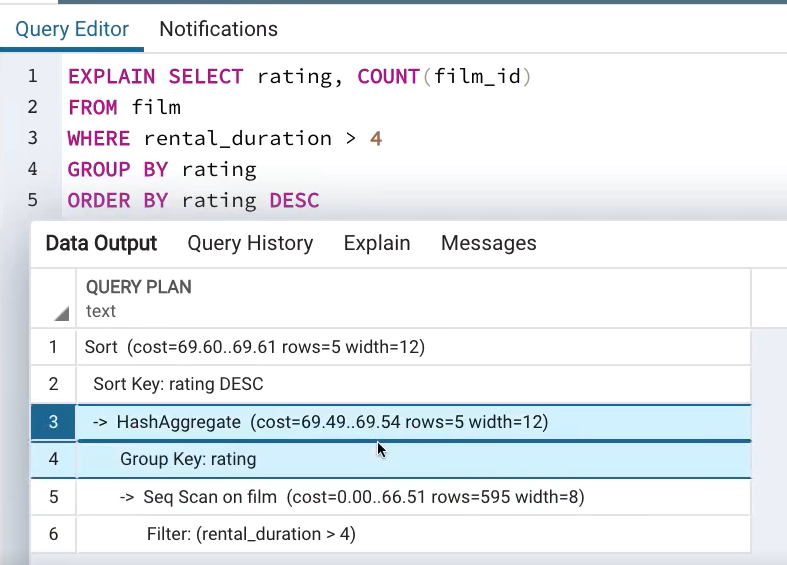
2.2 Execution Plan with EXPLAIN ANALYZE
EXPLAIN ANALYZE executes the query and provides actual statistics:
EXPLAIN ANALYZE
SELECT film_id, title, description
FROM film
WHERE rating IN ('R', 'PG-13')
ORDER BY rental_duration DESC;
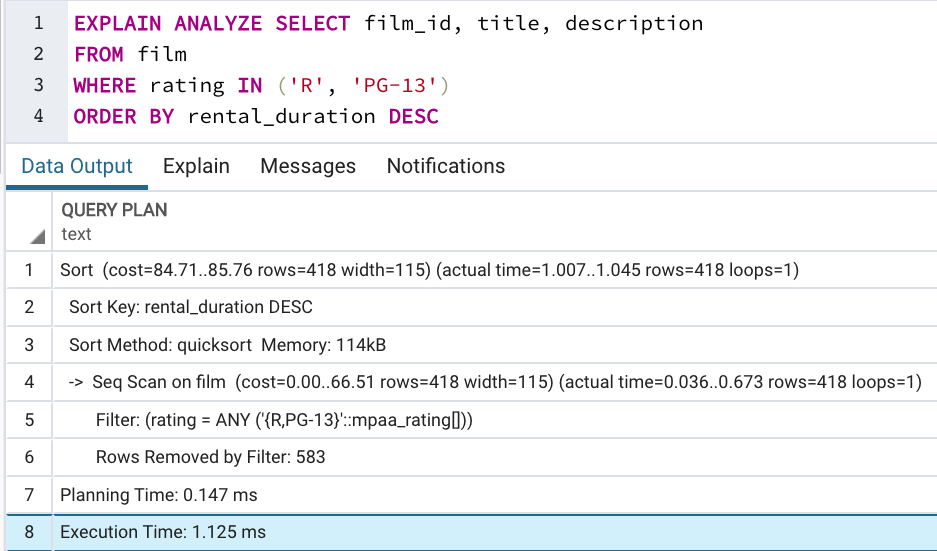
Additional info from EXPLAIN ANALYZE:
- loops: how many times each node ran
- actual time: real execution time per node (startup → total)
- actual rows: actual number of rows returned
- Additional details (filtered rows, memory usage, sort size, etc.)
- Total query runtime
Note: Use EXPLAIN ANALYZE sparingly in production, especially on data-changing queries—wrap them in a transaction and rollback afterward to avoid side effects.
3. Table Access Methods
3.1 Sequential Scan
Reads every row in the table one by one:
SELECT * FROM film;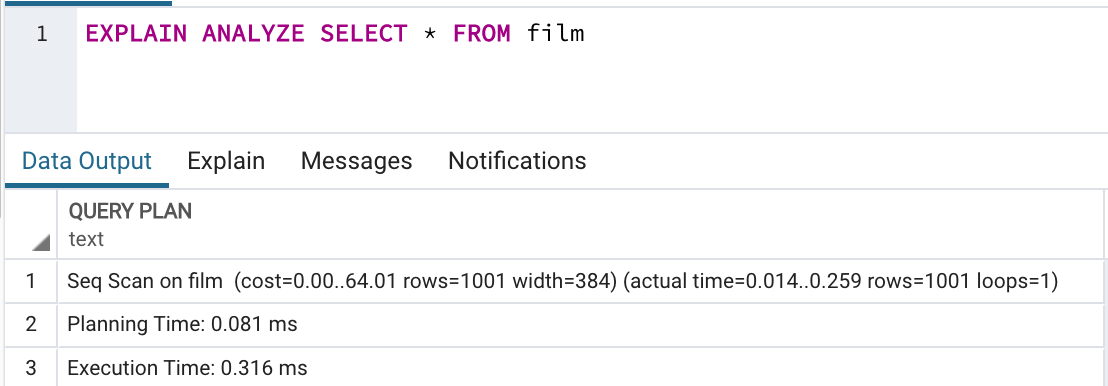
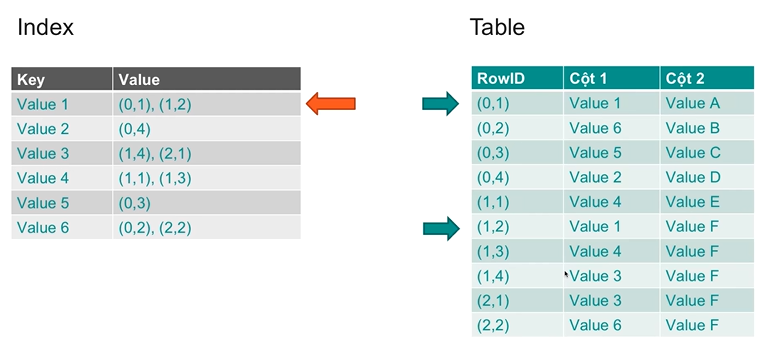
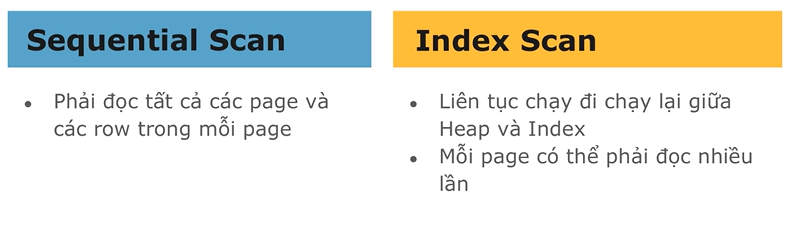
3.2 Index Scan
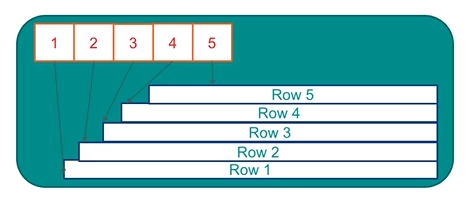
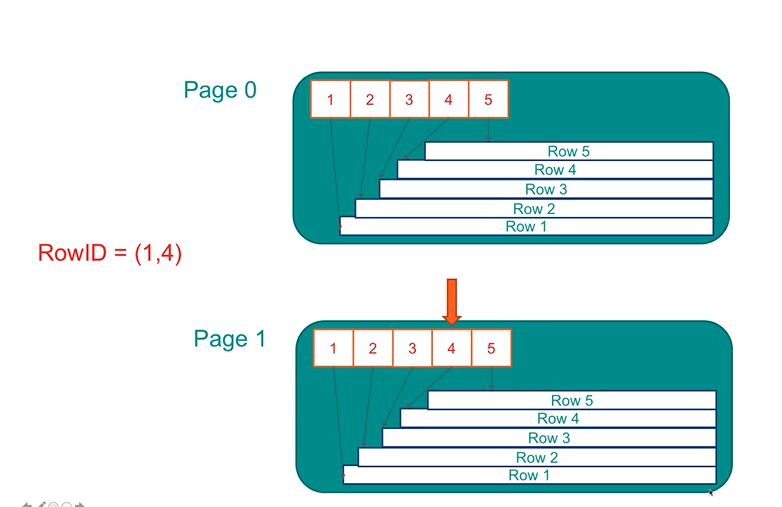
Steps:
- Access index
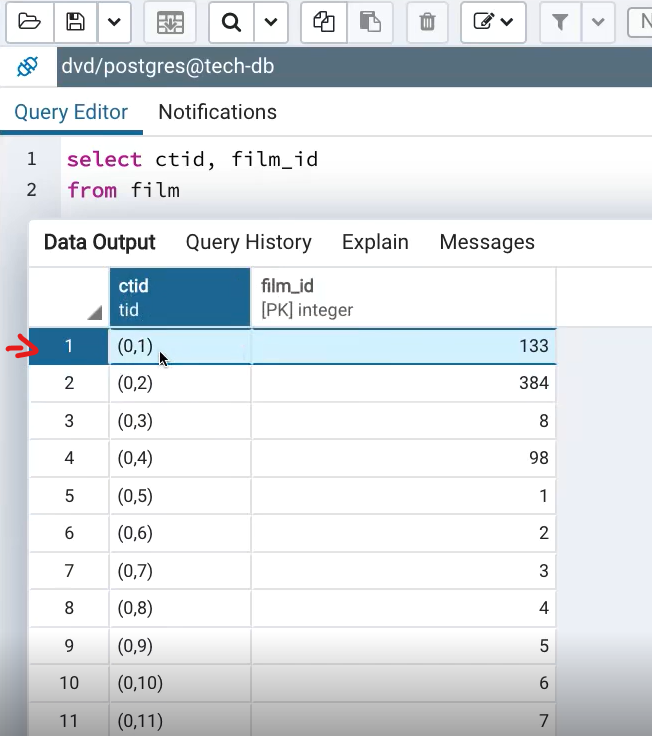
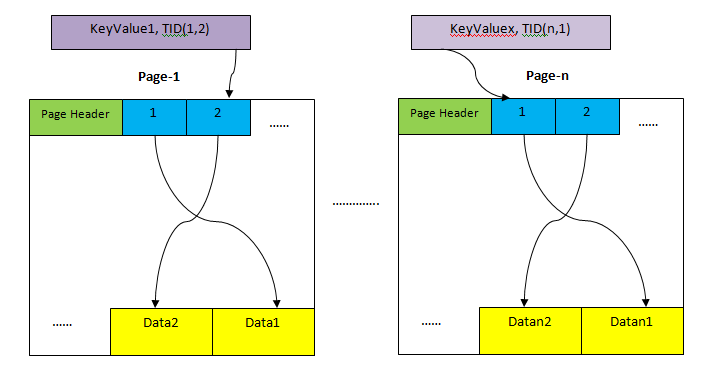
- Find matching index entries → retrieve row IDs
- Use row IDs to fetch actual rows from the table
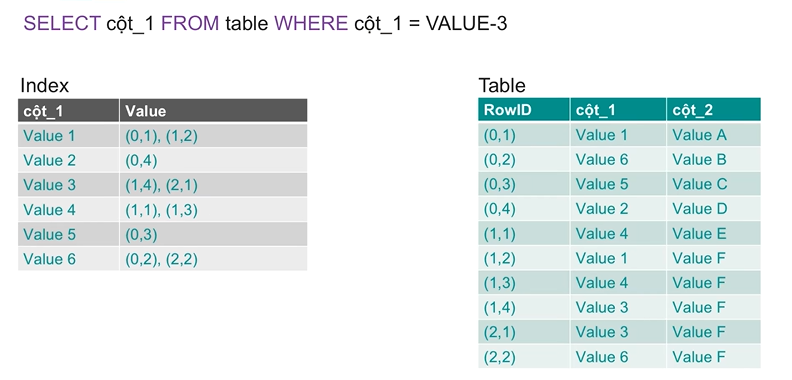
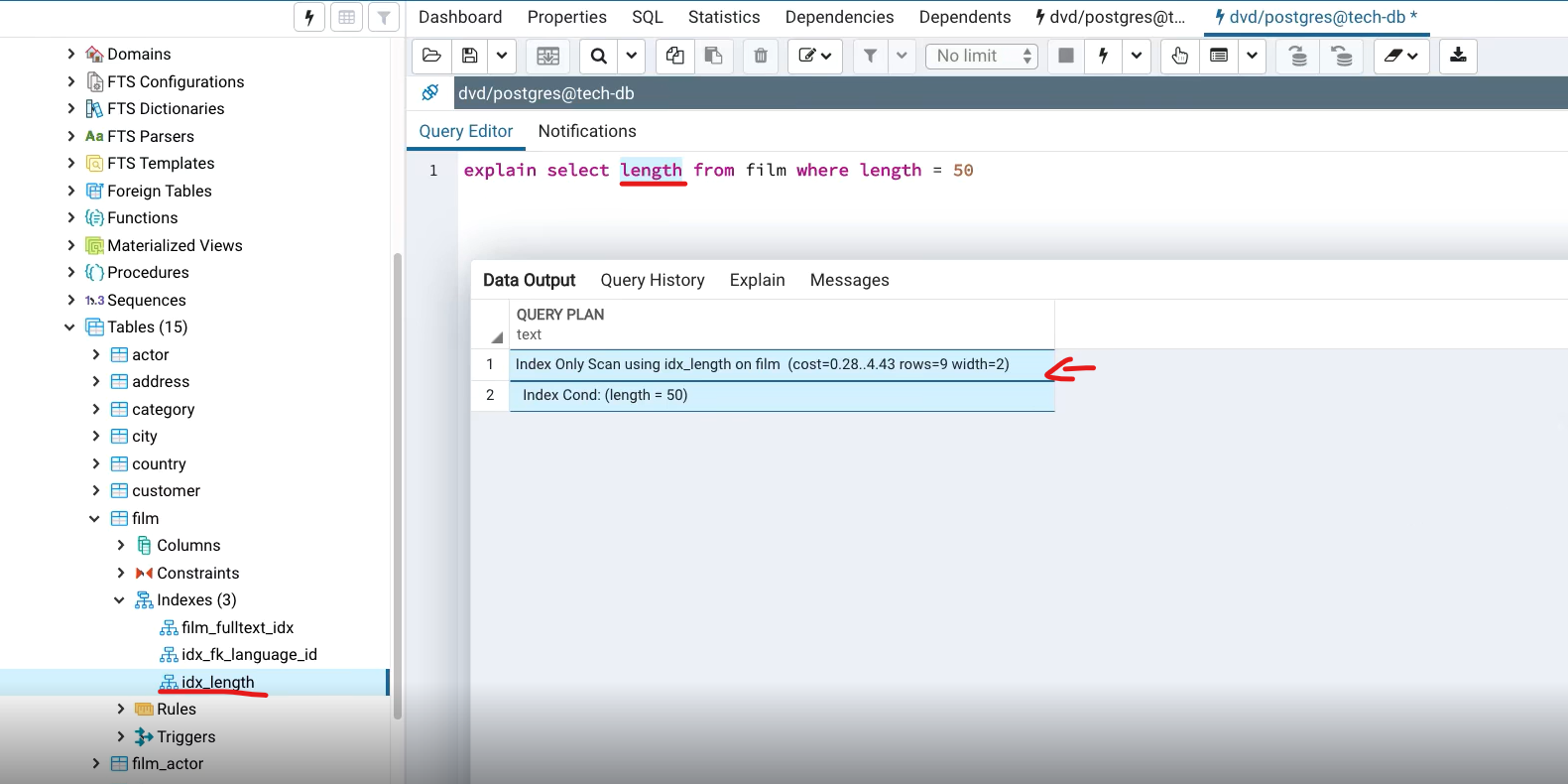
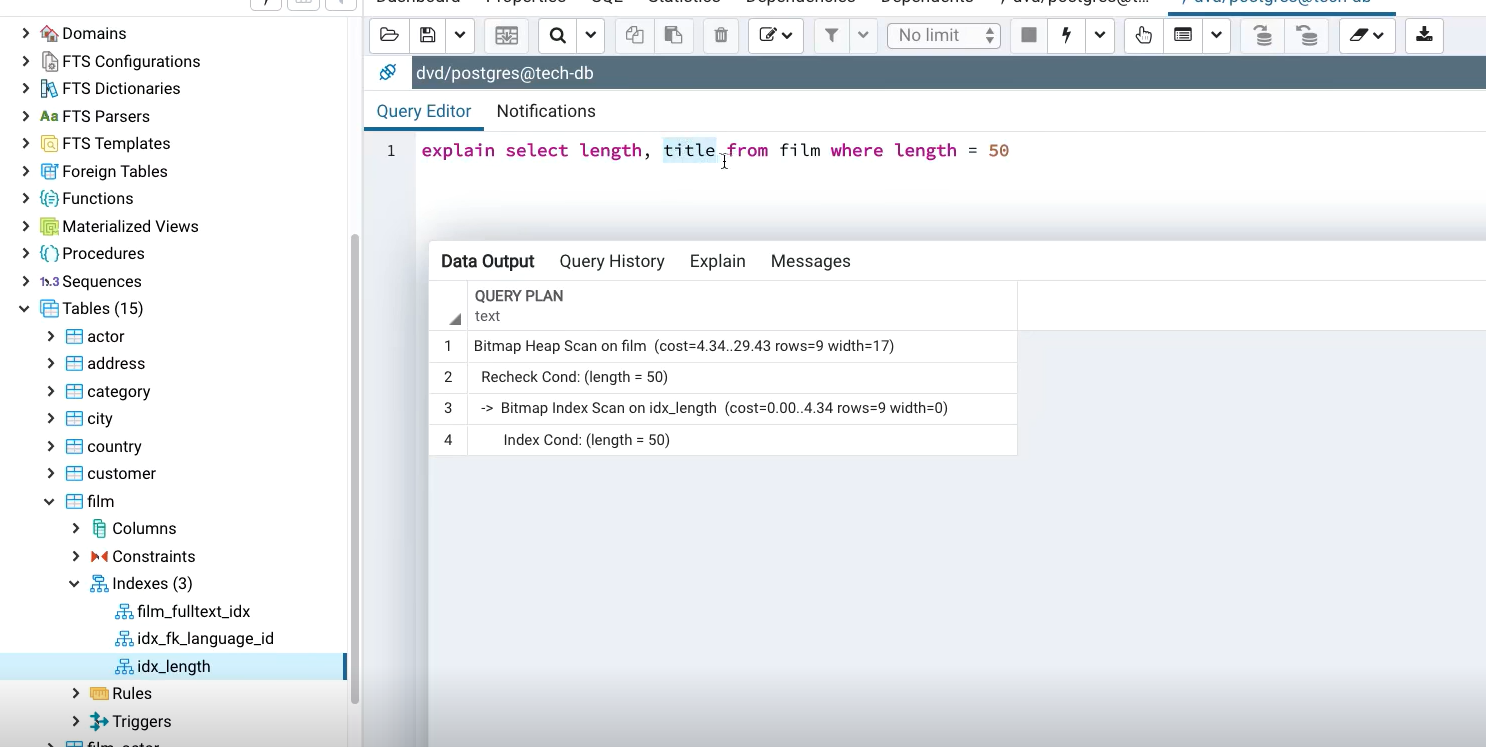
3.3 Index Only Scan
Uses only the index when all needed columns are in the index:
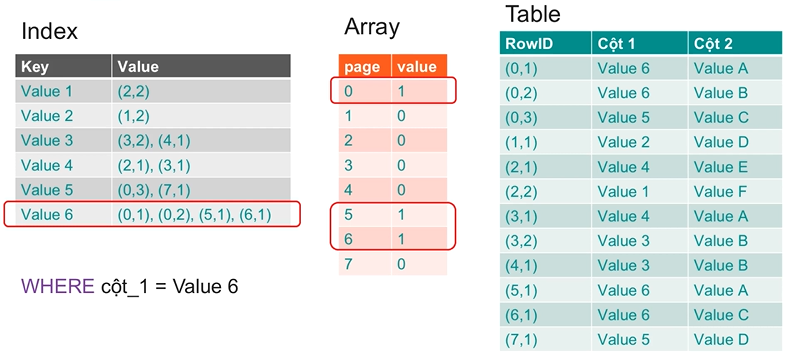
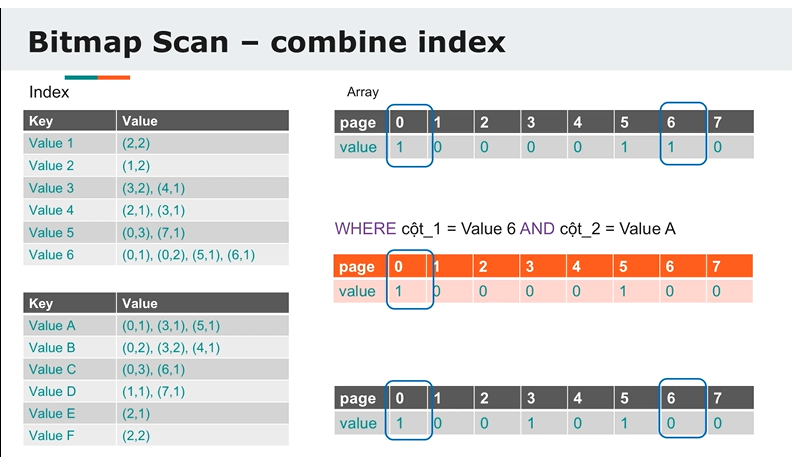
3.4 Bitmap Scan
Efficient when many rows match. It batches index results into a bitmap before accessing the table:
EXPLAIN ANALYZE SELECT * FROM users WHERE age = 50;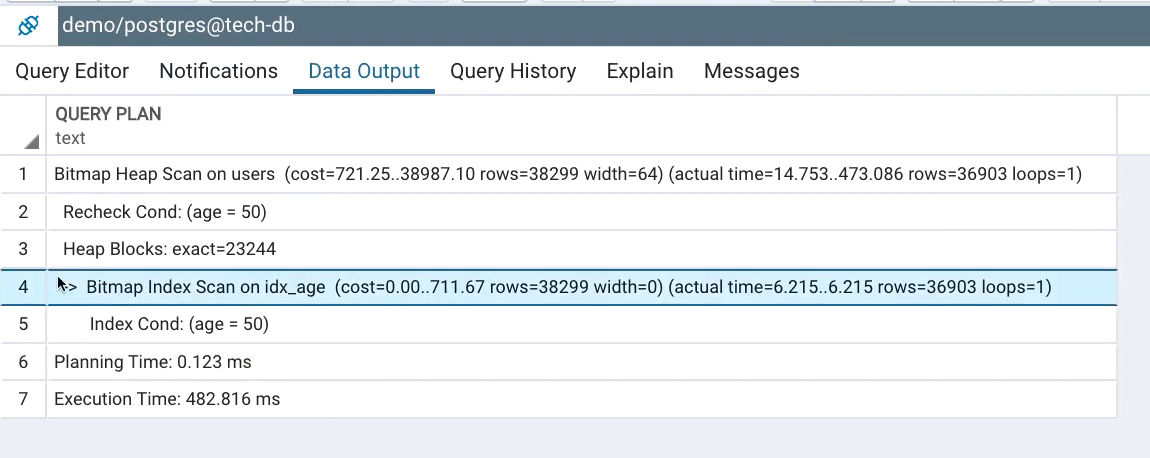
EXPLAIN ANALYZE SELECT * FROM users WHERE age = 50 AND last_name = 'Joey';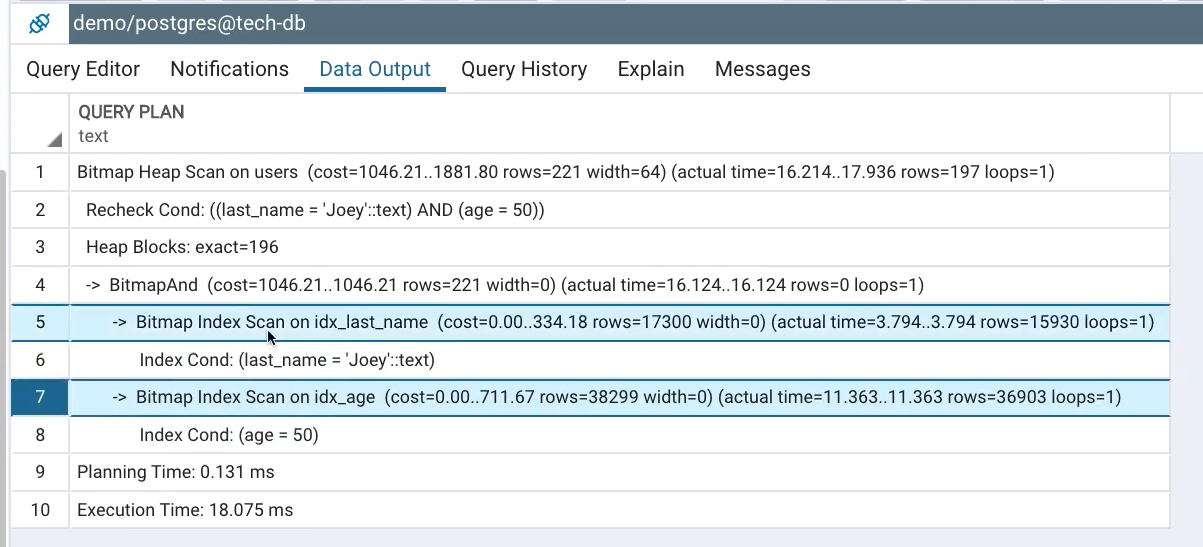
4. Tuning with Indexes
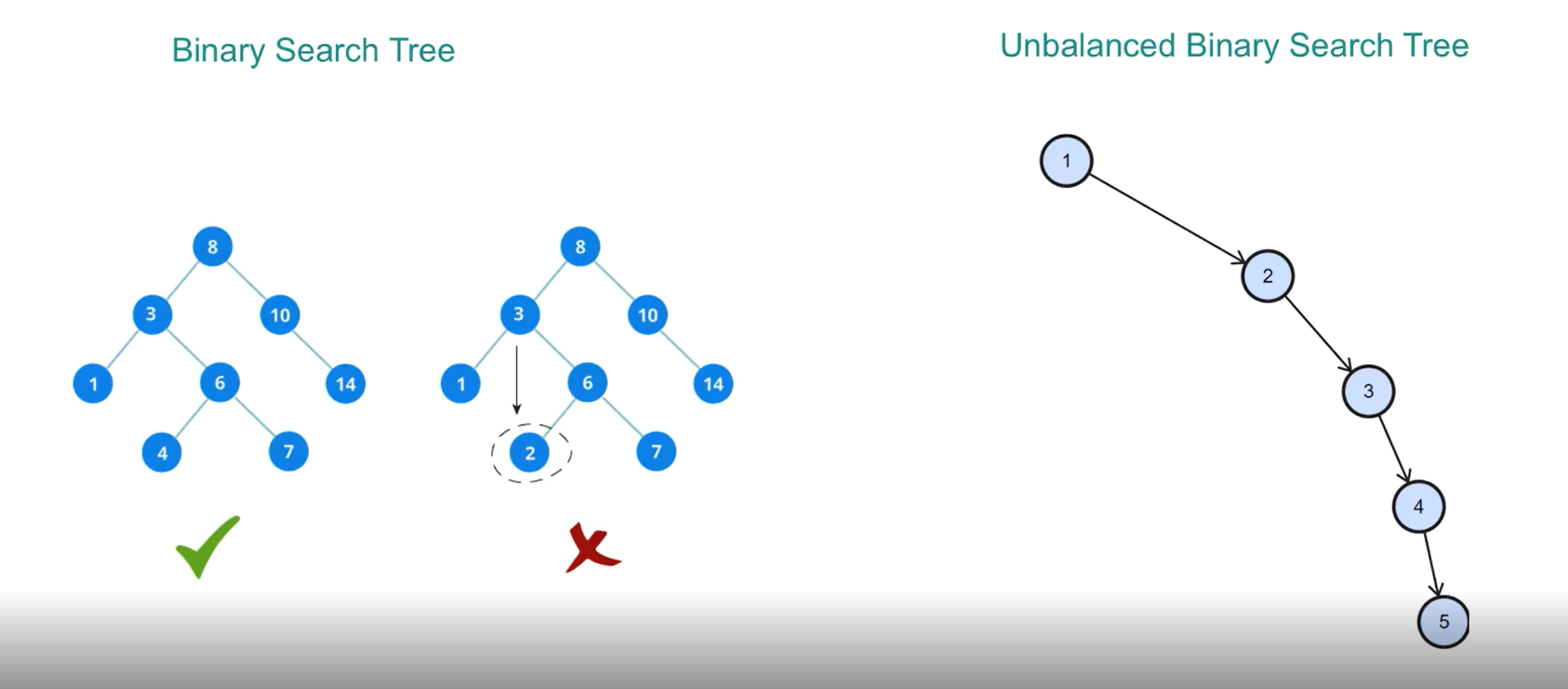
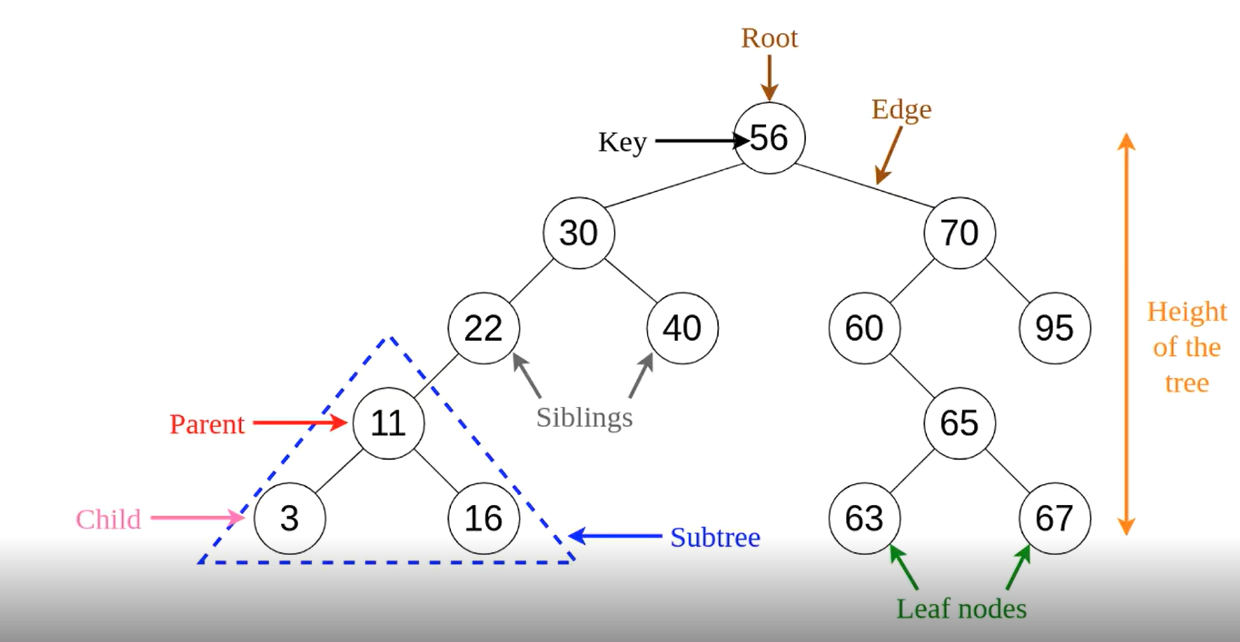
4.1 B‑Tree Index
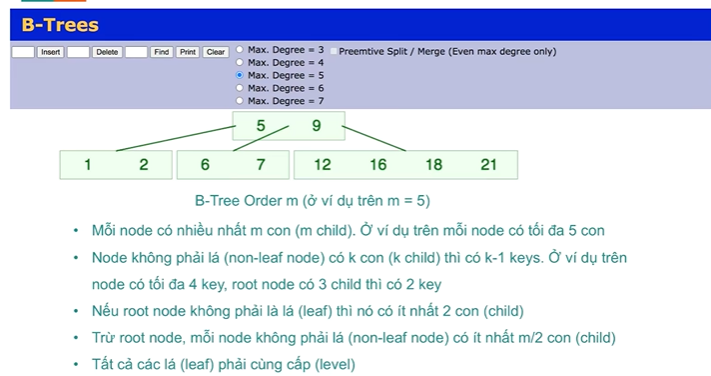
B‑Tree is the default balanced tree structure used in PostgreSQL:

4.2 Hash Index
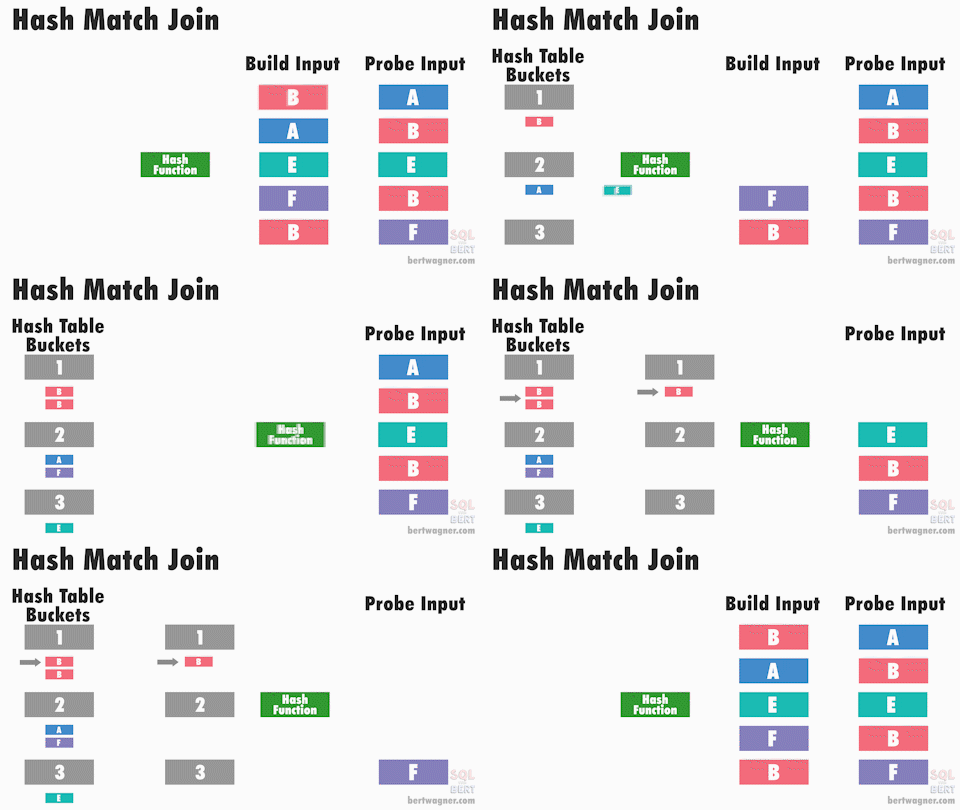
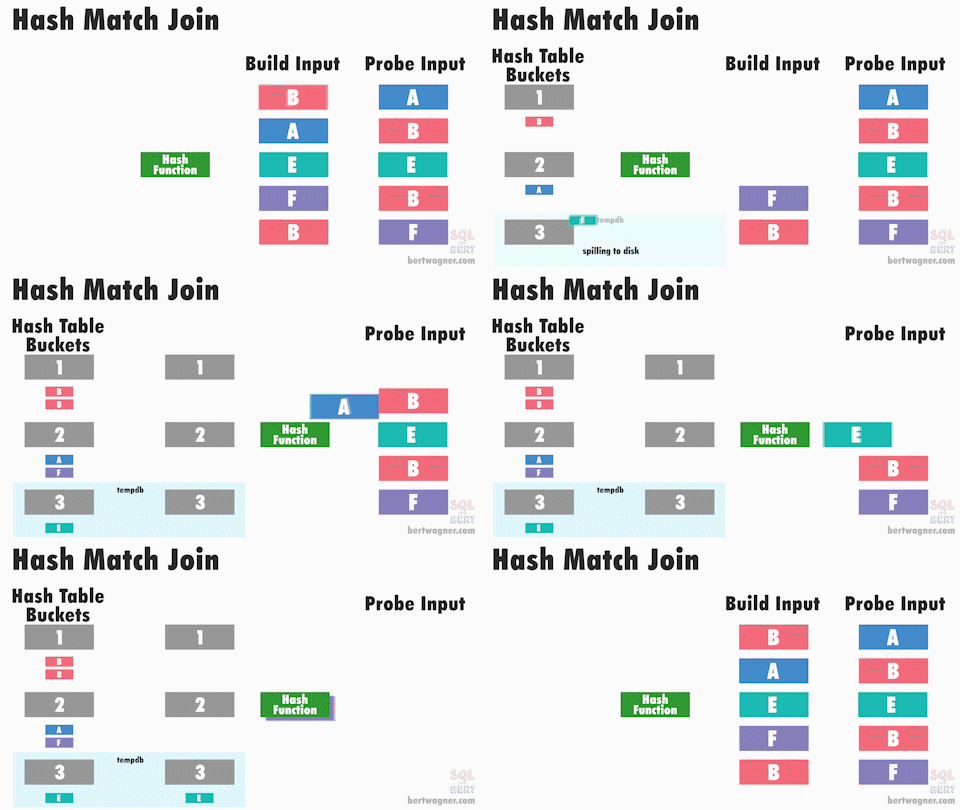
Useful for equality queries (=) on non-indexed columns or when B‑Tree is inefficient. Learn more here.
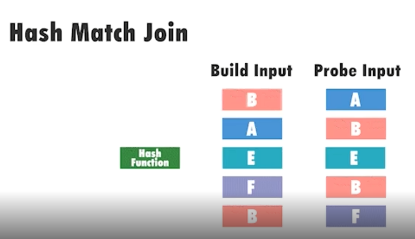
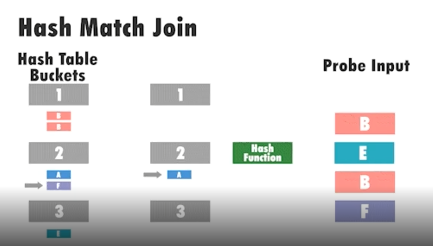
CREATE INDEX ON users USING HASH(email);- Build → hash values into buckets
- Probe → hash probe input and search bucket
4.3 Composite Index
Create an index on multiple columns:
CREATE INDEX idx_name_age ON users(name, age);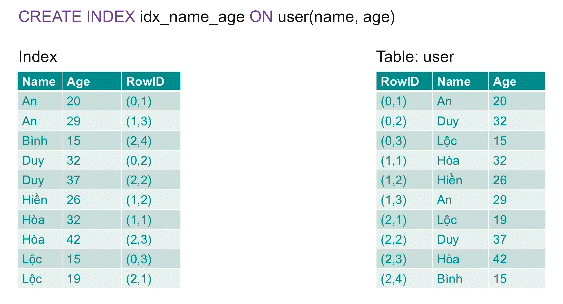
5. Index Suppression
(TBU)
6. Simple Tuning Techniques
(TBU)
7. Performance Enhancements
8. SQL Best Practices
(TBU)
9. Join Methods
(TBU)
